How Can We Help?
Patient Notes – Manage Patient Notes
Patient Management System > Patient Notes > Manage Patient Notes (Admin, Approver & PT)
You can use Given Name, Last Name, Date and/or PT Assigned to search for the patient. The table will auto-refresh when you put any value in the boxes provided.
To edit the notes, click the row that you want to edit, just make sure it is the correct patient, searching using any of the option in the page may display multiple patients.
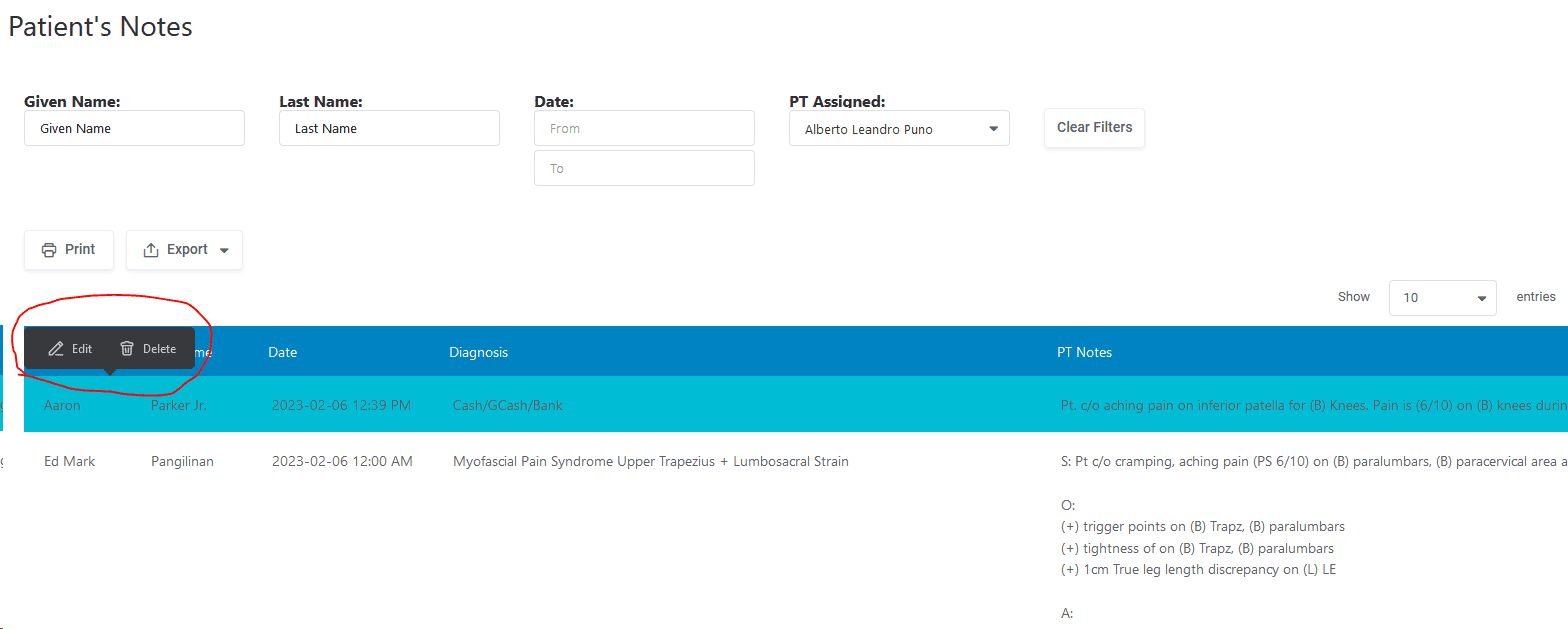
Below screenshot shows all the things that you can modify. As you can see from the screenshot above, you also have the option to delete a patient note.
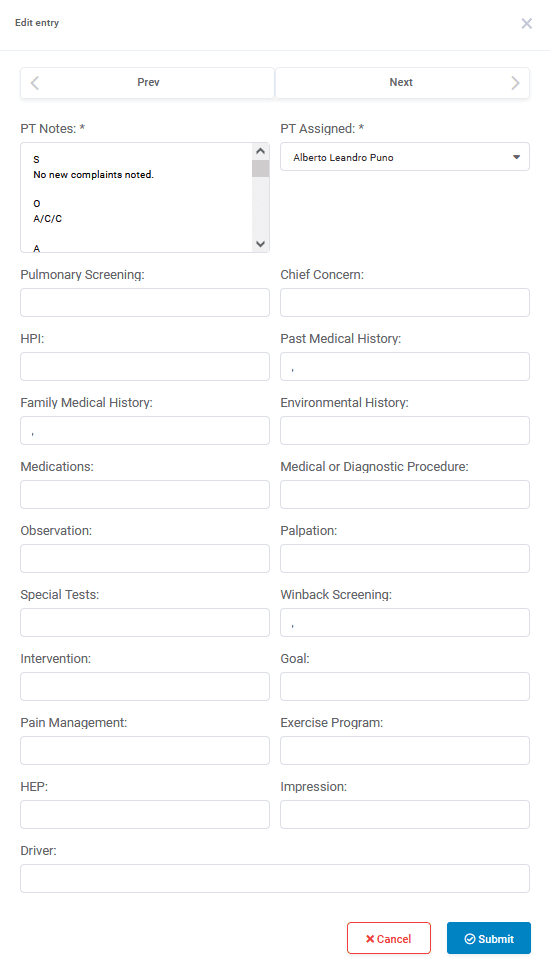
Note: There is no option to edit the date here. Contact support to have the date modified