Verify Patient HMO
Patient Management System > Verify Patient HMO (Admin & Approver only)
This is the next step after Registration. Click the drop-down to see all Patient’s that has Pending verification status for all sites.

Patient’s Basic info and HMO info will be displayed, after selecting a patient from the drop-down,
Below the patient’s info, you will find the section below.
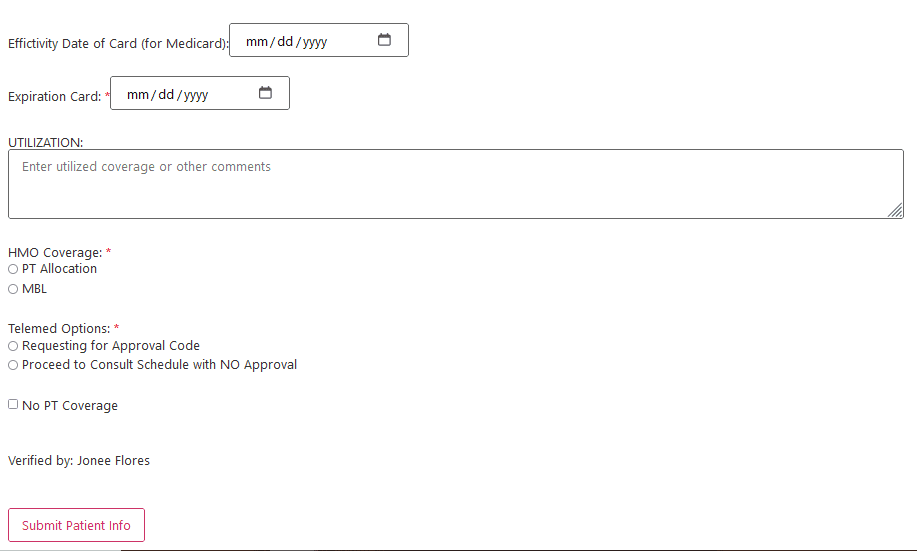
You should ask if the coverage is PT Allocation or MBL. Specify PT Allocation if the Patient is on PT Allocaiton coverage and specify Maximum Benefit Limit if they are on MBL.
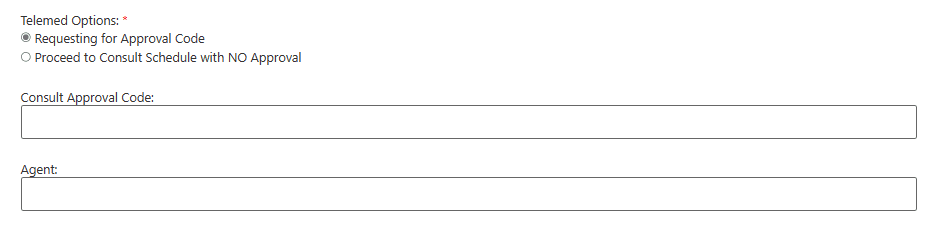
For Telemed options, we usually choose Requesting for Approval code where you will be given an Approval Code. Make sure to ask for the name of the agent that is on the other line.
Select No PT coverage if HMO will not approve it and click Submit Patient Info when done. Do not forget to inform customer if they are not covered.