Support Requests
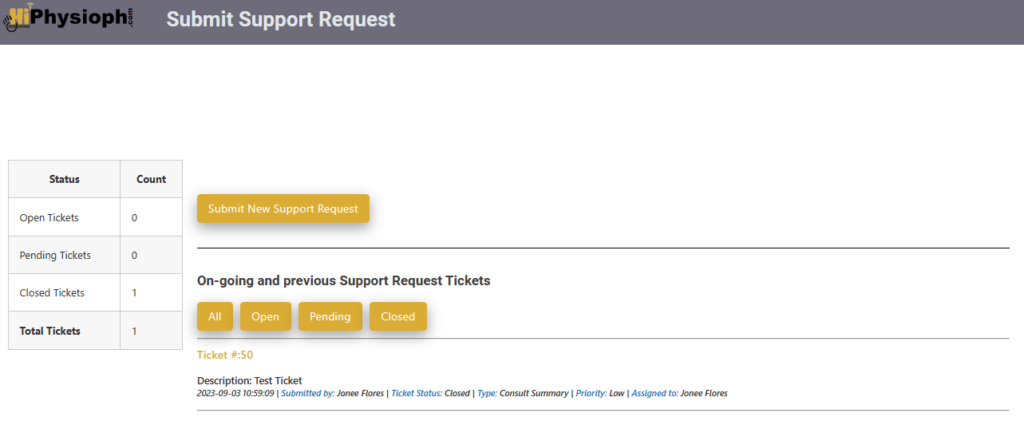
This page will display a button that you can click to submit a new request and underneath that button you will find your previous and on-going support tickets. One important thing to check is the status of your ticket, if you see that the status is ‘Waiting for reply’ it means that we are either waiting for your confirmation to say that it’s all good or we are asking for additional information from you. To view the content of the ticket, simply click the ticket number as shown below.
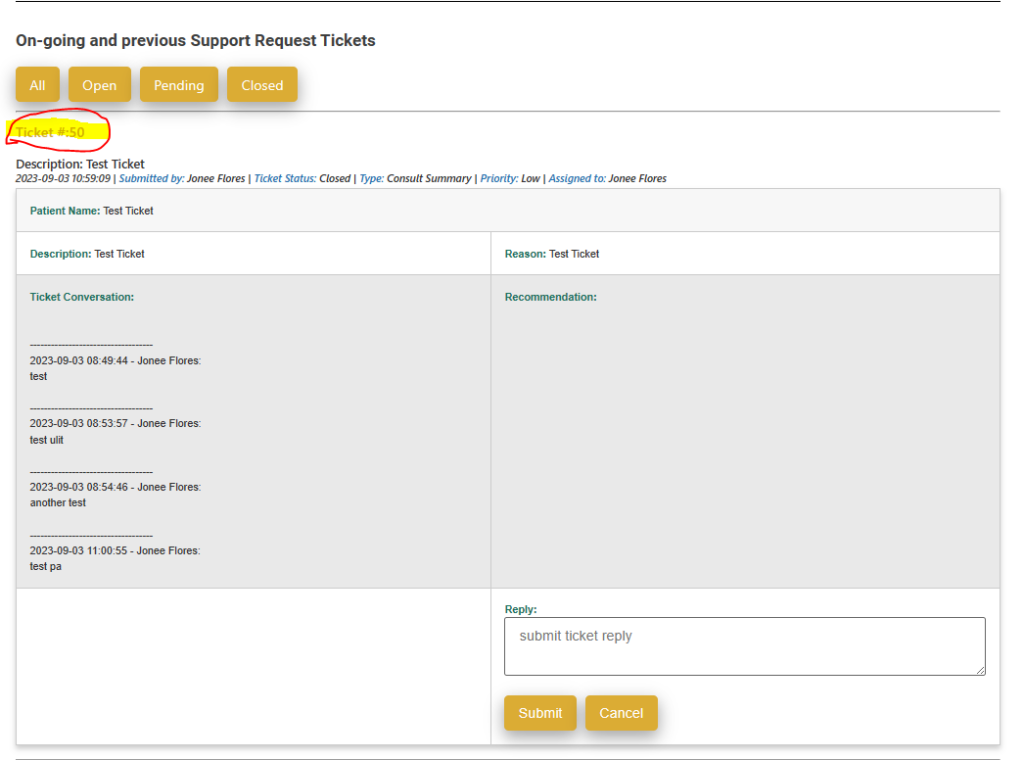
To reply to the ticket, simply type in the Reply box and click Submit.
No matter what the status of your ticket is, you can always click the ticket number to check our reply.
Below shows the form for submitting a support request
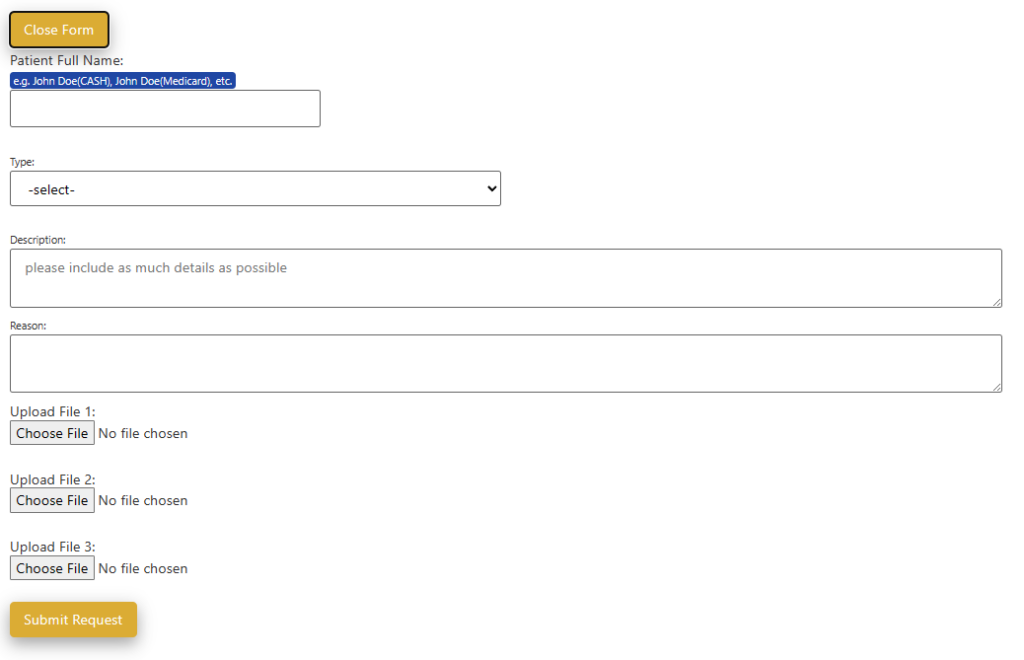
When we say Patient’s full name, it means it is the name that is shown in the Patient record. There is no need to include the HMO provider or the word CASH if it is not part of the patient’s name on record. The form will allow you to include up to three screenshots only. When you are done filling out the form, click Submit Request. Please avoid using acronyms to avoid confusion, like for example PN, PN can be Patient Notes or Progress Notes, if you have time, please just type the whole words. Also, please make sure to include all details possible, like amounts, session numbers, dates, etc. If you have any questions with regards to this page, please feel free to reach out to me.